
Skip to content
Logo
  • English
    • German

Alpha direct Balance base station - EN

  • Intended use
  • Device overview
  • Montage
  • Electric connection
  • LED signaling
  • Commissioning mode
  • Automated hydraulic balancing
  • Maintenance
  • Disassembly

Balance NFC app

  • Requirements for using NFC
  • Privacy policy
  • App functions
  • Download the app

Automatic hydraulic balancing AD EN

  • How it works
  • A practical guide for technicians: Hydraulic balancing using automated systems

Alpha direct Balance Switch base station EN

  • Compatibility
  • Hydraulic balancing remains necessary
  • Automatic heat distribution
  • Flow limiter not required
  • Cross-distribution network balancing required
  • Intended use
  • Device overview
  • Montage
  • Electric connection
  • LED signaling
  • Commissioning mode
  • Automated hydraulic balancing
  • Maintenance
  • Disassembly
  • Balance NFC app
View Categories
  • Systemauswahl
  • Alpha direct
  • Alpha direct Regler 55 Matrix
  • Set display to standby mode

Set display to standby mode

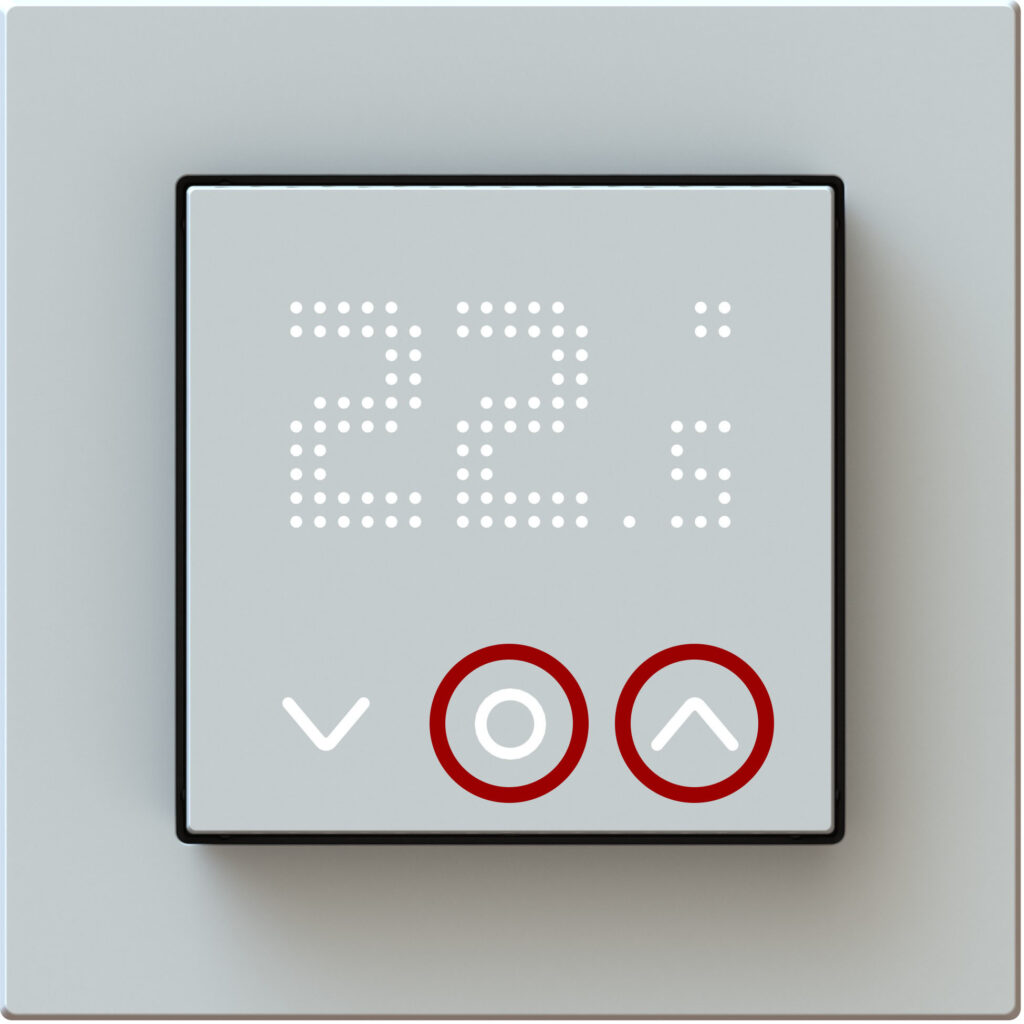
Usecase: In the bedroom when the light from the display appears too bright and disturbing in the dark.

Switching on
Press and hold simultaneously the following keys for 10 sec.:

The DOF display will then appear, confirming the setting. After about 30 seconds the display switches to standby mode.

Only the system and function keys are then visible. Changes to the set temperature can still be made.

Switching off
Press and hold simultaneously the following keys for 10 sec.:

The DON display will then appear, confirming the setting.

Updated on January 13, 2026

© 2024 | 300724

  • Supportrequest
  • Privacy Statement
  • Imprint
  • Supportrequest
  • Privacy Statement
  • Imprint